How to fight stripe Disputes
Last updated January 8, 2026
How to Fight a Stripe Dispute
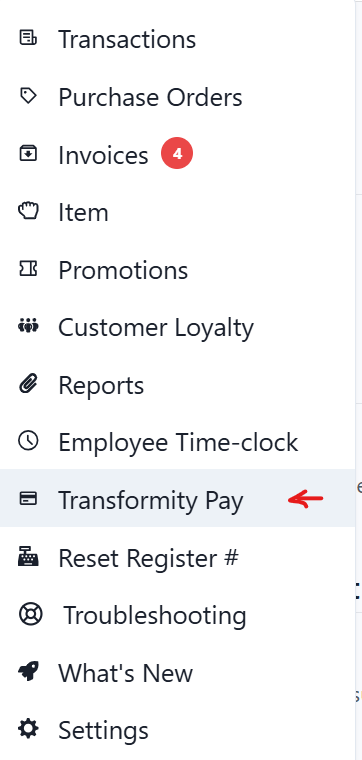
📍 Where to respond:
Backoffice → Transformity Pay → Disputes

Step 1: Identify the Transaction
To fight a dispute, you must upload the exact receipt Stripe is referencing.
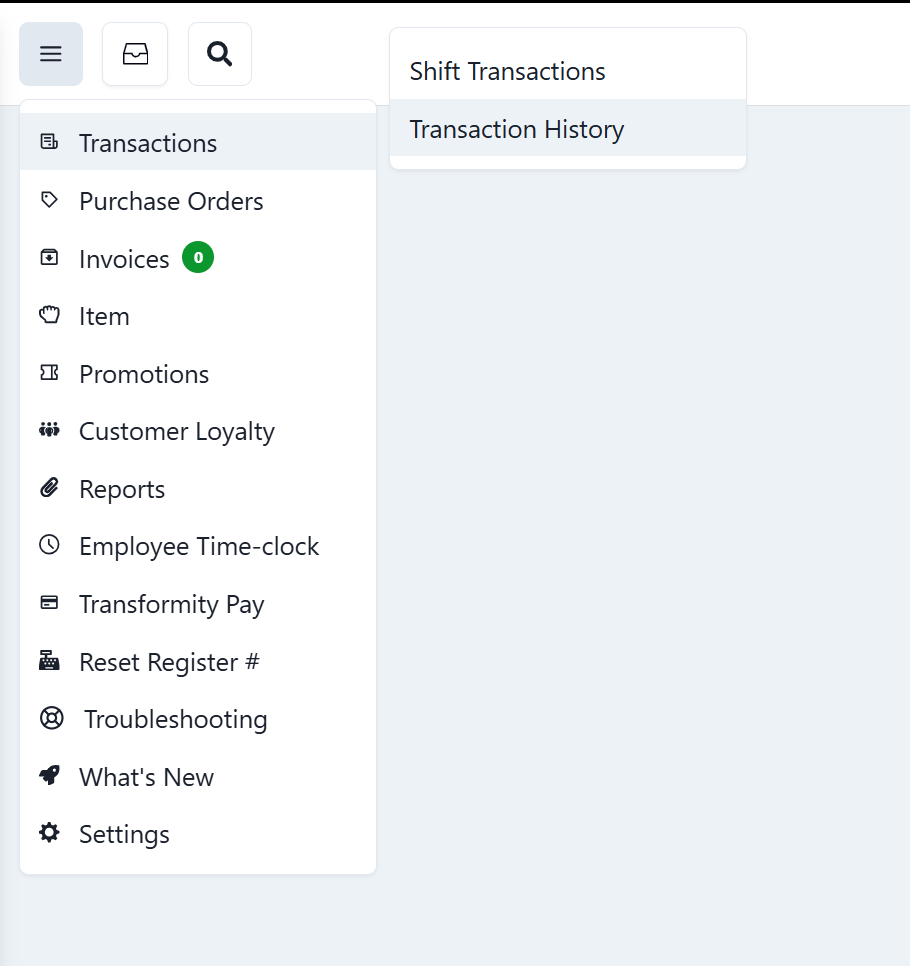
- Go to Transactions
- Click Transaction History
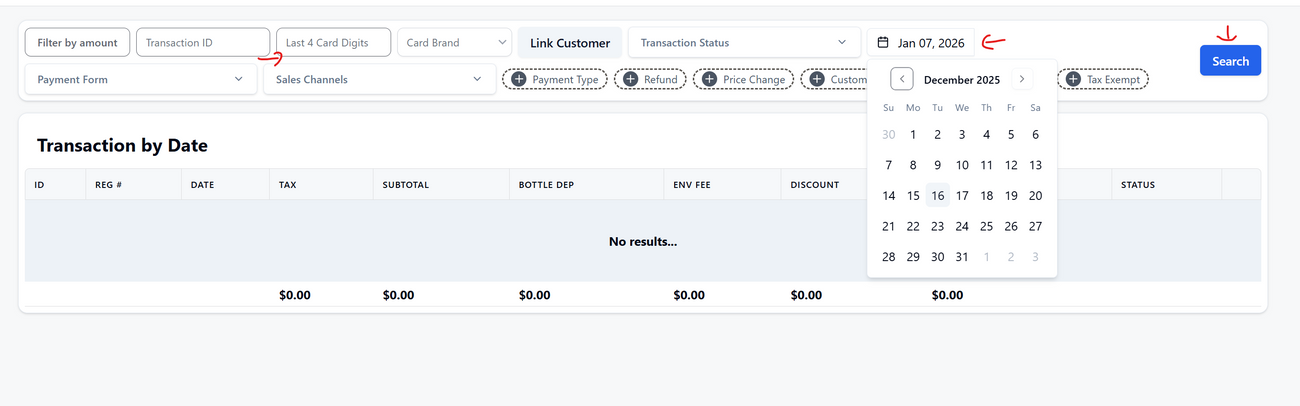
- Use the last 4 digits of the card shown in Stripe
- Use the transaction date shown in Stripe
- Open the matching transaction
Step 2: Export the Receipt
- Open the transaction
- Click PDF
- Save the receipt as a PDF by press Ctrl + P
This receipt should always be included when countering a dispute.
Step 3: Submit Evidence Based on Dispute Reasons
Fraudulent (Unauthorized payment)
Upload:
- Receipt PDF
- Proof the transaction was card-present (chip / tap / swipe)
- Matching last 4 digits of the card
Product Not Received
Upload:
- Receipt PDF showing a completed transaction
- Paste this in the Evidence / Explanation field in Stripe:
This transaction was completed in person at checkout. The items were handed to the customer at the time of purchase. The attached receipt shows a completed, card-present transaction.
Product Unacceptable / Not as Described
Upload:
- Receipt showing item name, size, and price
- Store policy (if applicable)
Duplicate or Incorrect Charge
Upload:
- Receipt showing the correct amount
- Paste this in Stripe’s Evidence / Explanation field:
The attached receipt shows a single completed transaction for this card on the disputed date. Transaction history confirms there was only one successful charge and no duplicate completed payments.
No Refund / No Cancellation
Upload:
- Refund policy
- Receipt showing the transaction
- Proof no refund was processed
Important Notes
- You must respond before Stripe’s deadline
- If you win: No fees
- If you lose: Original amount + $15 dispute fee + $15 counter fee
Was this article helpful?