Earning Points
Last updated December 9, 2025
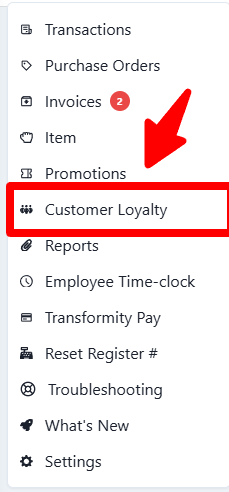
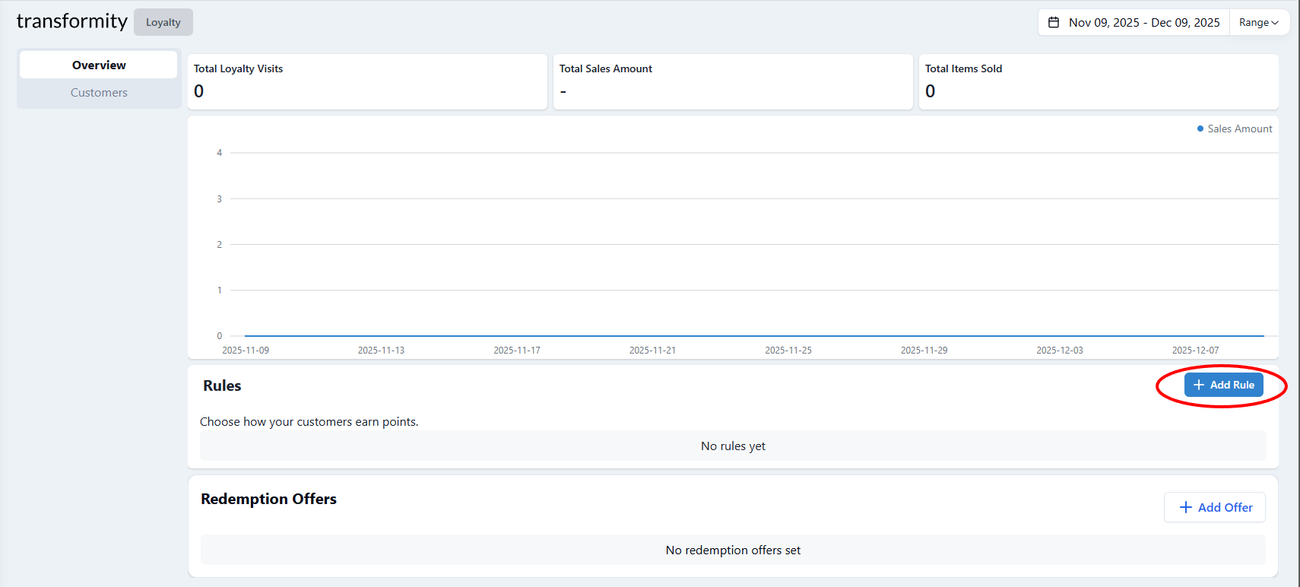
Sign Up : How to Create a "Sign Up" Bonus Rule
Use this to give customers a one-time reward just for joining your loyalty program.
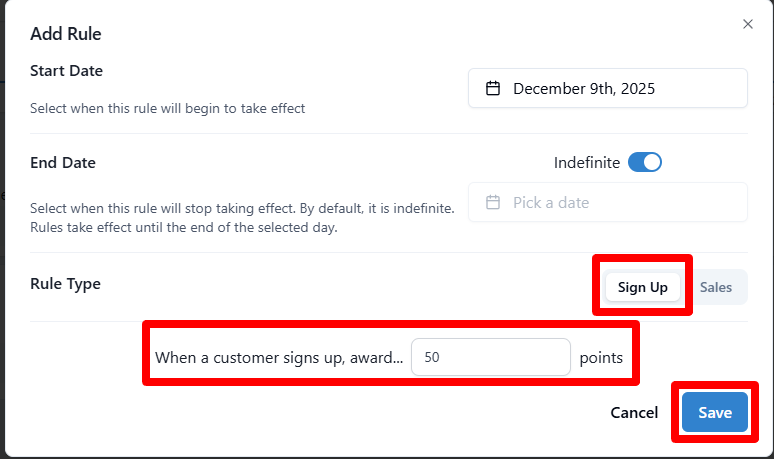
1. Select Rule Type
- At the top right of the "Rule Type" section, click Sign Up (instead of Sales).
- Note: The options for items and minimum spend will disappear because they don't apply here.
2. Set the Schedule
- Start Date: Choose when this sign-up bonus becomes active.
- End Date: Leave Indefinite on if you want this to be a permanent welcome gift for new customers.
3. Award Points
- Look for the text that says: "When a customer signs up, award..."
- Enter the point amount in the box.
- Example: Enter "100" to give them $5 or $10 worth of value immediately (depending on your redemption values). This encourages them to make their first purchase immediately.
4. Save
- Click the blue Save button.
Sales : How to create a "Sales" Bonus Rule
1. Set the Schedule
- Start Date: Select when this promotion begins.
- End Date: By default, this is Indefinite (ongoing). If this is a limited-time promo (like "Oktoberfest"), toggle the switch off and pick an end date.
2. Select Rule Type
- Ensure the button Sales is selected.
3. Include Items (Add Matcher)
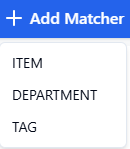
- Click the blue + Add Matcher button to define what products qualify. You can choose from three types:
- Items: Select specific bottles or SKUs.
- Example: Select only "Casamigos Blanco Tequila" to push a specific brand.
- Department: Select a broad category.
- Example: Select the "Red Wine" department for a generic wine promotion.
- Tag: Select groups based on your custom tags.
- Example: Select items tagged "Staff Picks" or "Local Brewery" to promote specific collections.
4. Set a Minimum Requirement (Optional)
- Spend: Customer must spend a specific dollar amount to qualify.
- Example: "Spend at least $50 on Wine to earn bonus points."
- Units: Customer must buy a certain number of bottles/cans.
- Example: "Buy at least 12 bottles (a case) to qualify for the reward."

5. Configure Point Awards
- Award: Enter the number of points to give.
- Select Type: Choose how the points are calculated:
- Spend: Points based on the dollar value.
- Example: "Award 1 point for every $1 spent" (Standard reward).
- Units: Points based on the physical count.
- Example: "Award 50 bonus points for every 1 Keg purchased" (Item-specific reward).
6. Save
- Click Save to activate.
For Sales you can make multiple rules
Was this article helpful?